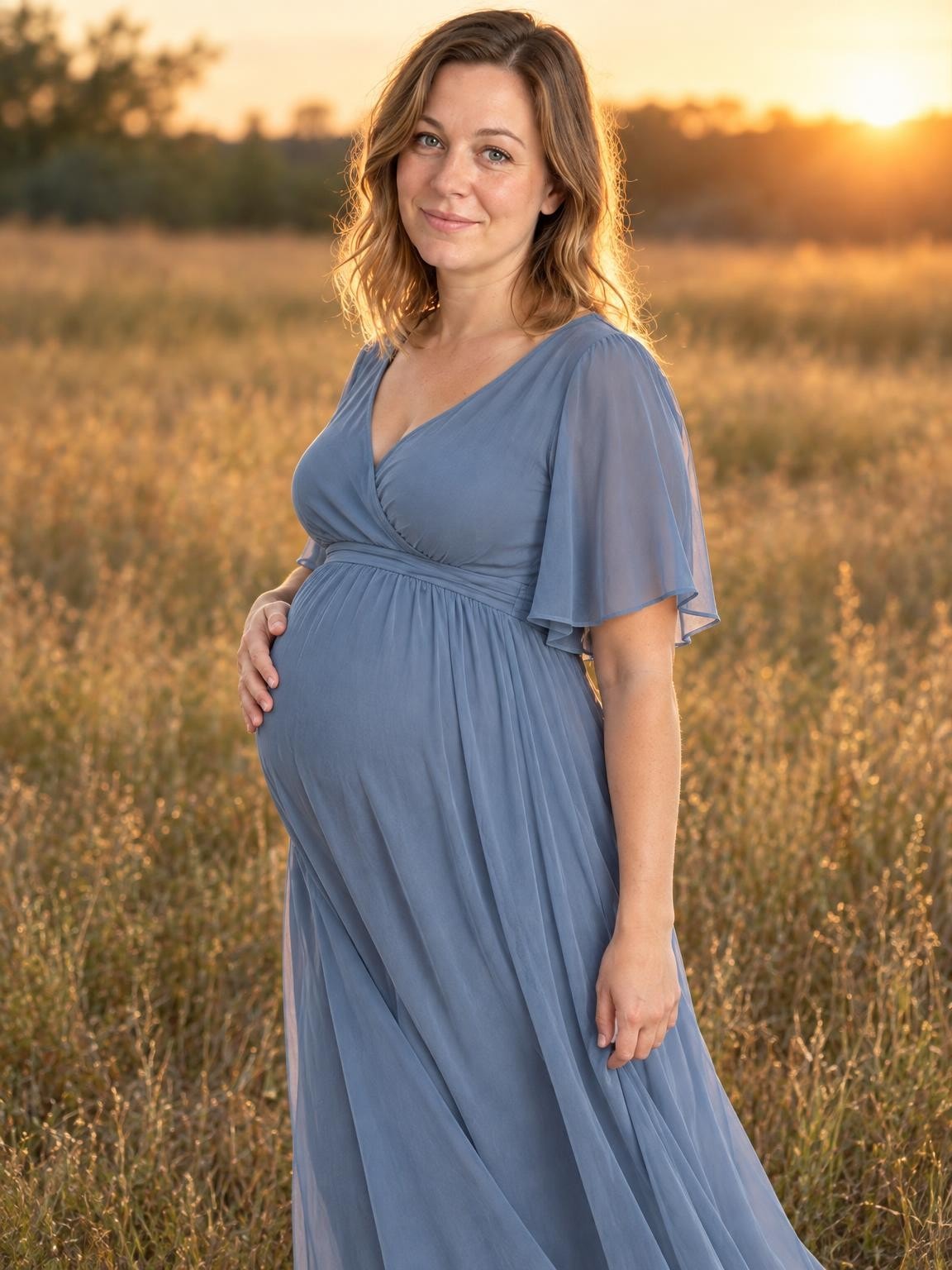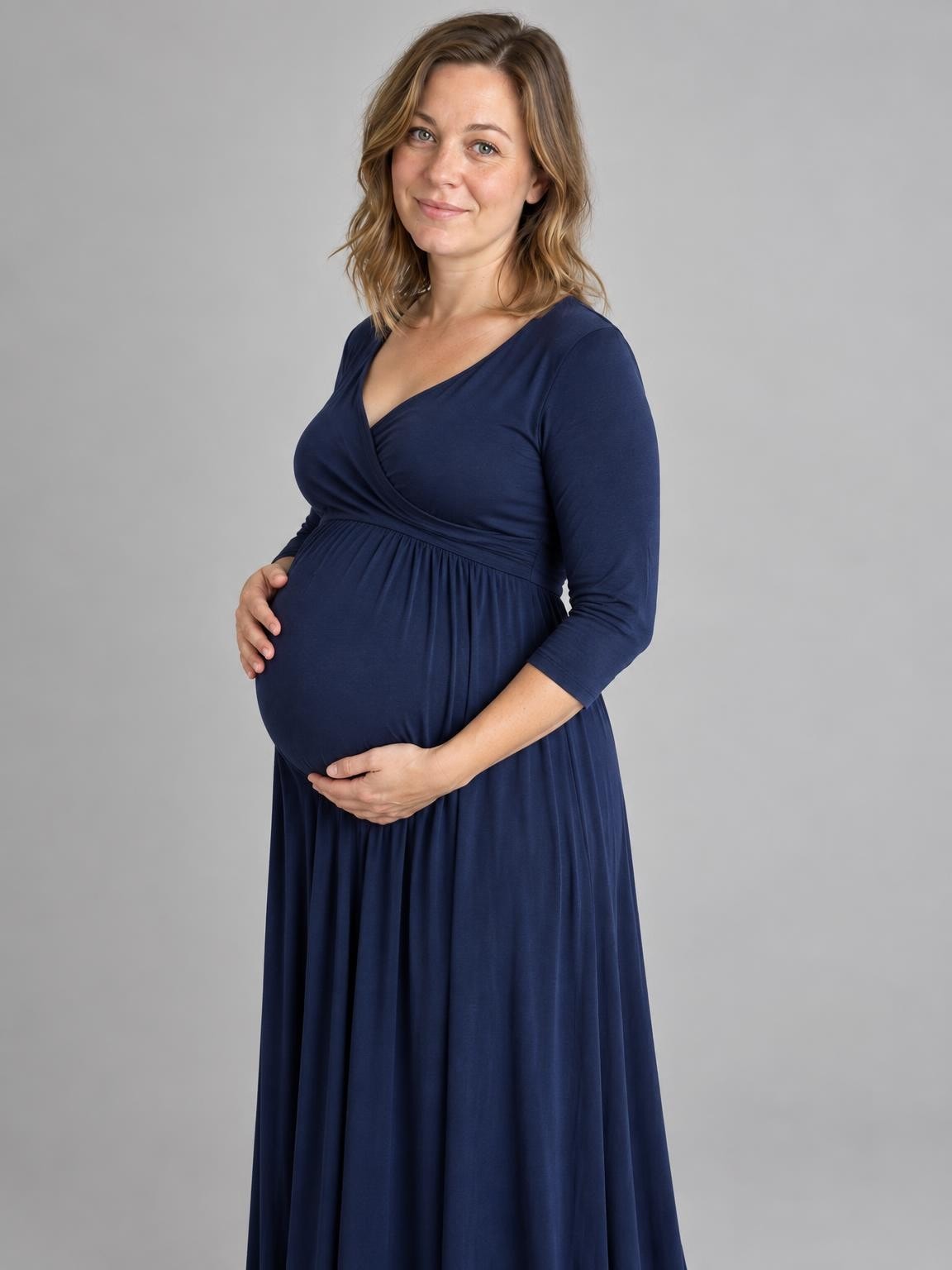
Elegant Maternity Studio
Timeless studio maternity portrait with a flowing gown and soft, sculpted light.
Try this settingMaternity photos · Free preview
A simple studio dress or a field in evening light. Use a current pregnancy photo to create a new AI maternity portrait and see your preview at home.
Create my free preview1 free watermarked preview. No account or card.
30 digital portraits for $19 if you choose a gallery.
One reference. A new portrait. Fictional demo
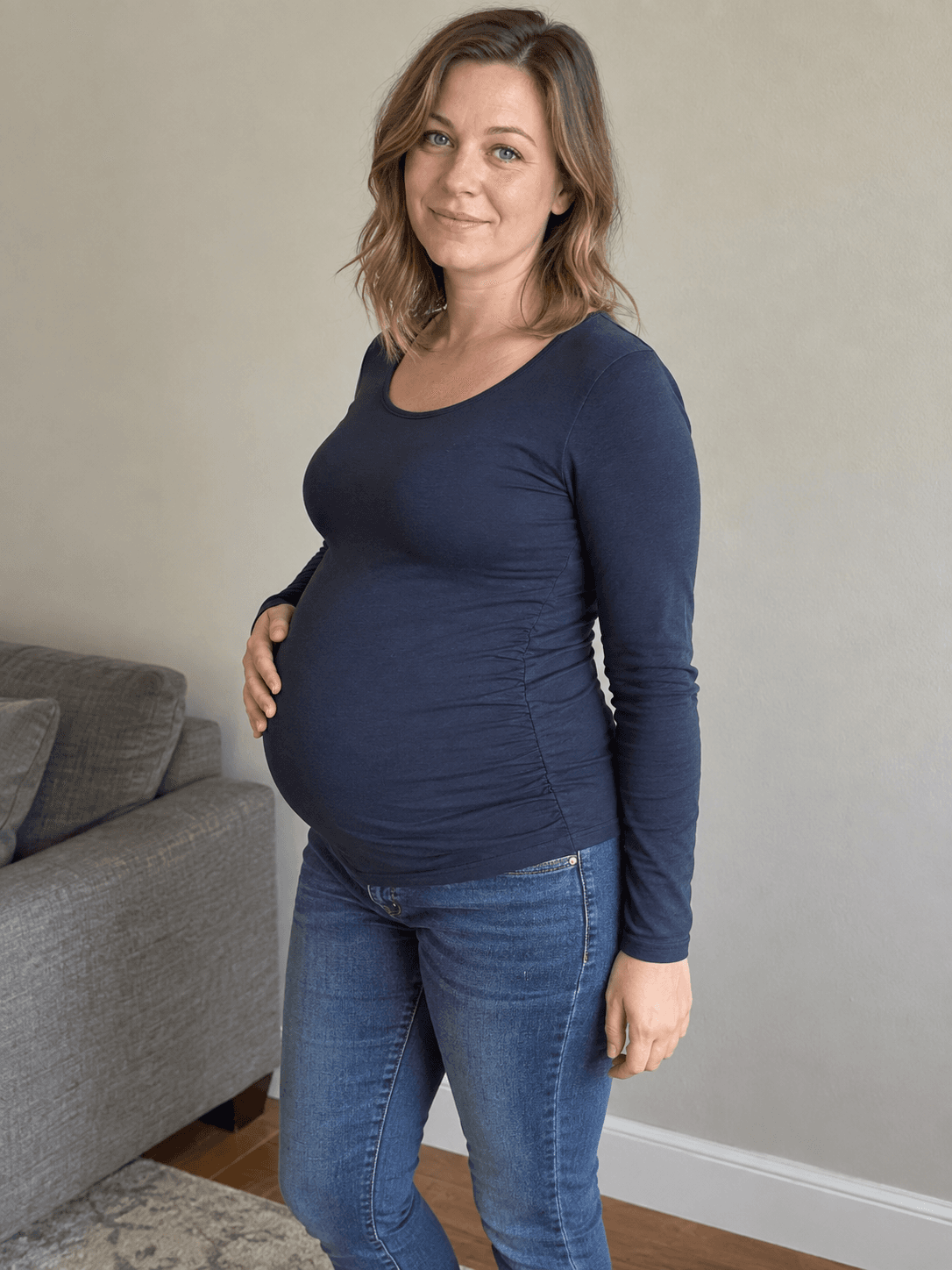 Reference photoElegant Maternity Studio
Actual output from our portrait renderer. Your results will vary.
Studio light keeps the focus on you; the golden field gives the portrait a more open, outdoor feeling. Both create a new outfit and pose from your references. Start with a current photo that shows your face and bump clearly, then check whether the preview feels recognizable and comfortable to you.
AI may change body shape, pregnancy proportions and facial details. Keep your original photographs as the record of this time, and review your preview before paying.
Select a setting above to see its matching references and result, or start your own preview below.
Use 1–6 clear photos. The setting you selected here will be ready in the creator.
Compare the face with your references. Look closely at glasses, teeth, hair and hands before deciding.
Pay once for 30, 60 or 120 portraits. Download the originals as they become ready; printing is separate.
Choose a gallery of new portrait variations after checking your free preview. Keep your favorites; printing is separate.
Keep the exact portrait you approve, plus your chosen number of new variations. Every gallery includes original-size downloads without watermarks, your selected scenes, and support for eligible quality issues under our refund policy.
Start with a free preview and one correction. No account, no subscription.
Help with your galleryThe original examples on this page are 1152 × 1536 pixels. Check the actual dimensions and crop of your download before ordering prints. Check a photo’s crop and print size.
Choose a recent reference with the pregnancy shape visible under simple clothing. A face-only selfie gives less information about your body. Avoid mixing photos from very different stages if you want a consistent look.
Studio uses a pale backdrop and a navy dress. The field uses a dusty-blue dress and warm evening light. Outfit notes can guide a different color, but a specific dress, fabric or silhouette is not guaranteed.
Add a clear reference of your partner or child if you want them in the portrait. Leave them out for a solo portrait. The solo examples shown here use one fictional pregnant adult; inspect every additional person in your own result.
Compare the face, bump, hands and body proportions at full size. Check the edge of the dress and how hands meet the body. A beautiful setting is only useful if the portrait itself feels right.
No. A clear everyday photograph in natural light can be a useful reference. You do need a current photo showing your appearance and pregnancy shape; these examples do not demonstrate accurate body shape from a face-only selfie.
Yes. Enter a short request under “Outfit colors or special details.” The default looks use navy or dusty blue. Color requests are guidance, not exact garment matching.
For a portrait with baby shoes or a small baby outfit, use our Pregnancy Announcement Photos collection. These maternity presets focus on the pregnant person. Add exact announcement names and dates in your own editor afterward.
Your first watermarked preview is free, with no account or payment card required. Paid digital galleries start at $19. You choose a gallery after reviewing the preview; there is no subscription. Printing and shipping are not included.
Not always. AI creates a new image, and facial details, age, clothing and hands can vary. Compare the preview with your references before paying. The people shown on this page are fictional demo subjects, not customers or evidence of a guaranteed result.
Use 1–6 current, clear photos. Include one showing your face and pregnancy shape in ordinary, fully clothed clothing. Use photos from a consistent stage of pregnancy. If a partner or child should appear, include a clear reference for them too. Upload only photos you have permission to use.
For a quality-issue review under our refund policy, contact us with your gallery link, affected photo numbers and the specific issue. You can also request deletion. Our privacy policy explains how references and generated photos are processed and stored.
Refund policyPrivacy and photo storageHelp with your gallery
Choose a setting. Add your photos. See the preview.