FamilyPhotographer.ai

Beach family photos, wherever you are.

Turn your family’s everyday pictures into a new AI portrait by the sea. Soft afternoon light, relaxed clothes, and your own free preview before you pay.

See my free preview

No account or card.
Keep your approved portrait + new variations from $19.

Four people. Four separate photos.

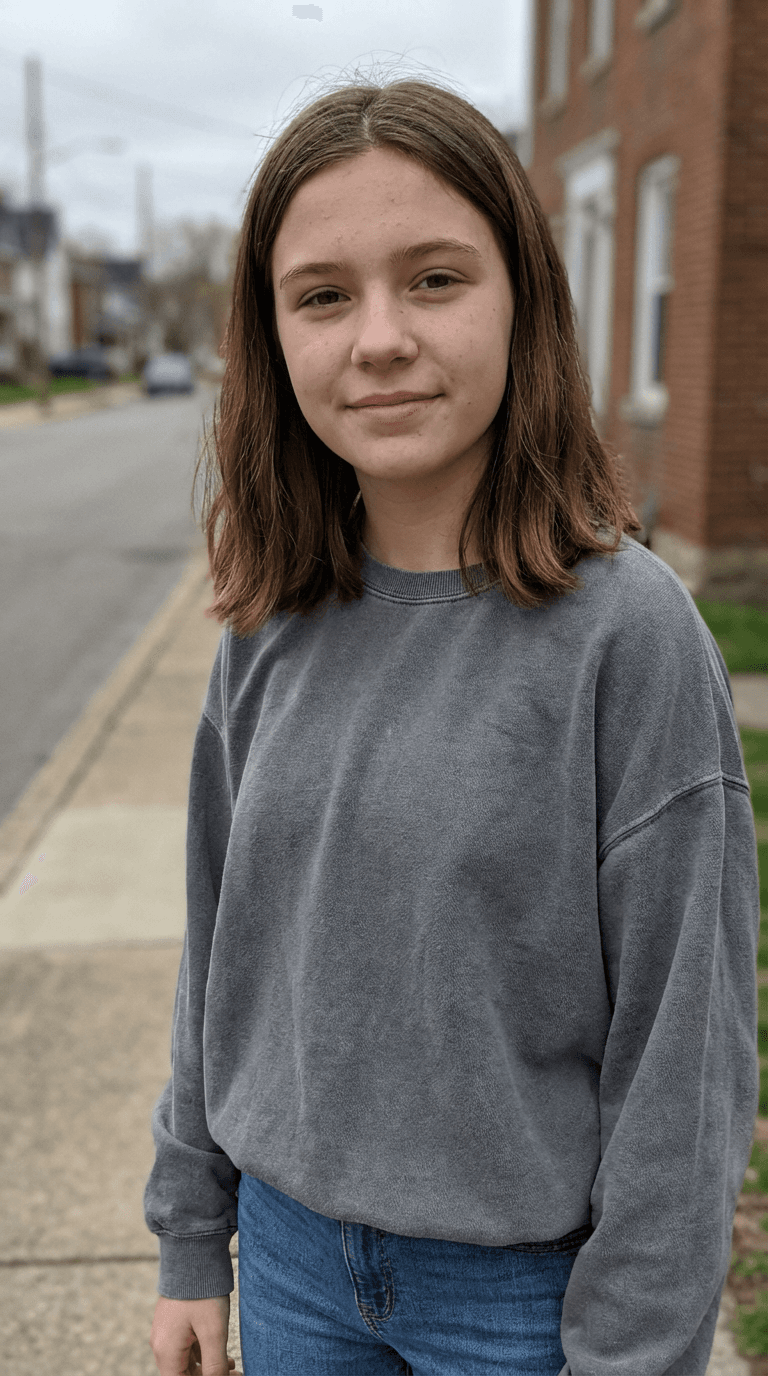
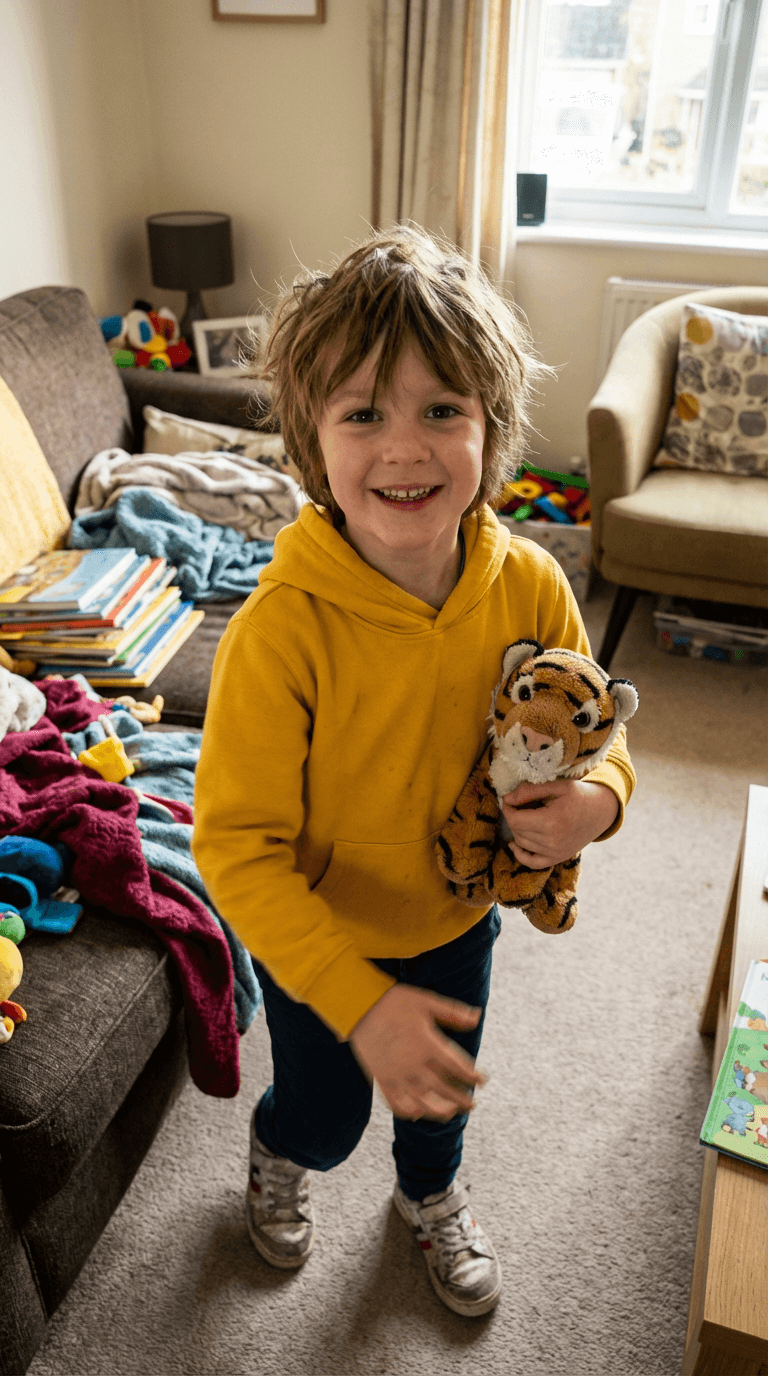
Mother’s individual demo reference photoFather’s individual demo reference photoDaughter’s individual demo reference photoSon’s individual demo reference photo

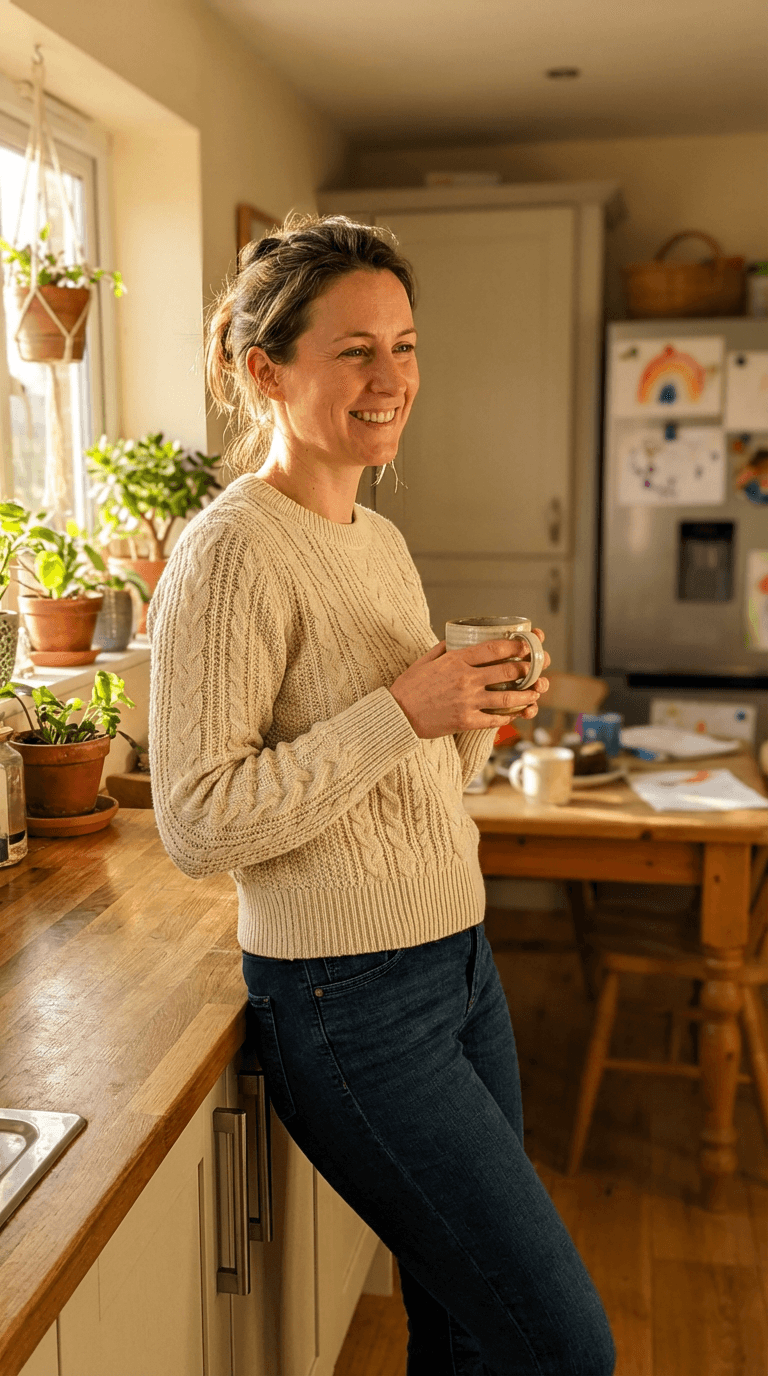
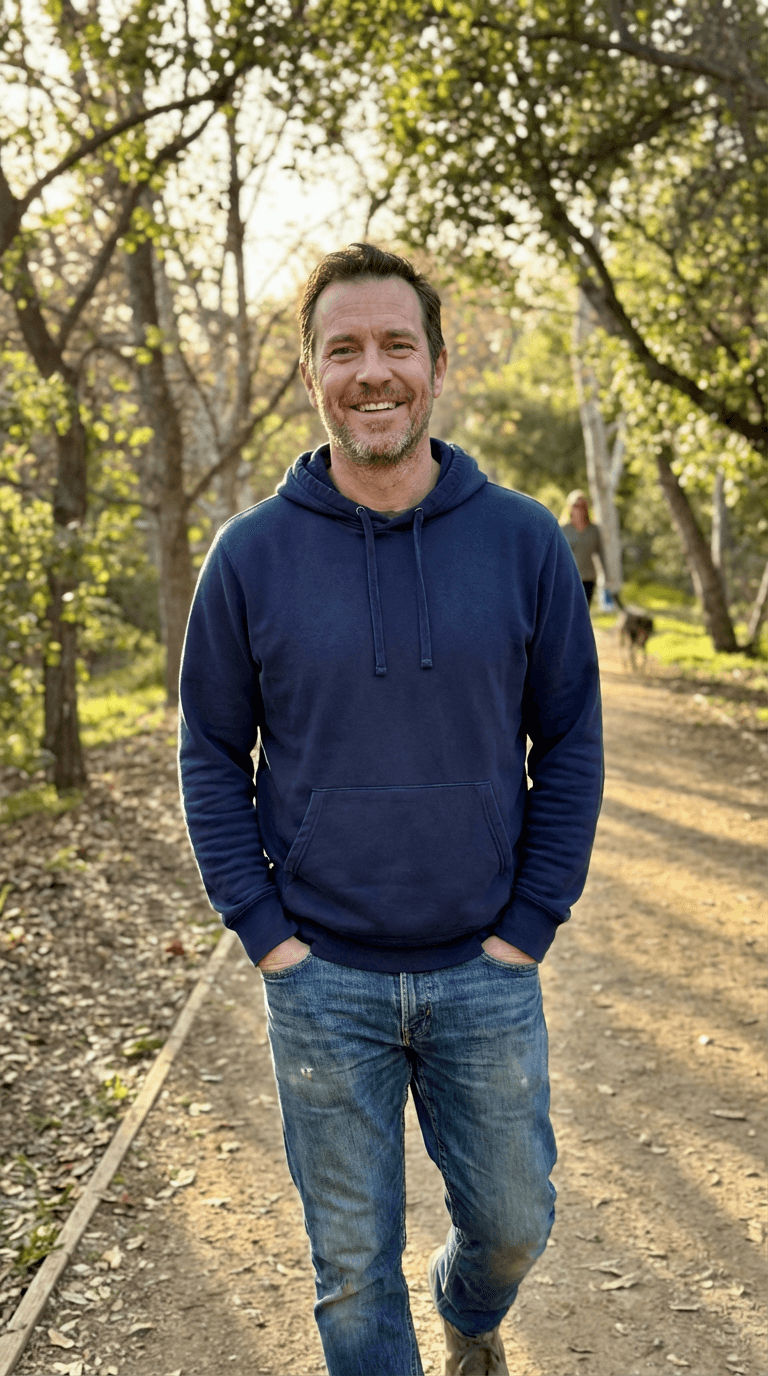
One individual reference for each family member. These four files made the portrait shown.

See the references and test notes
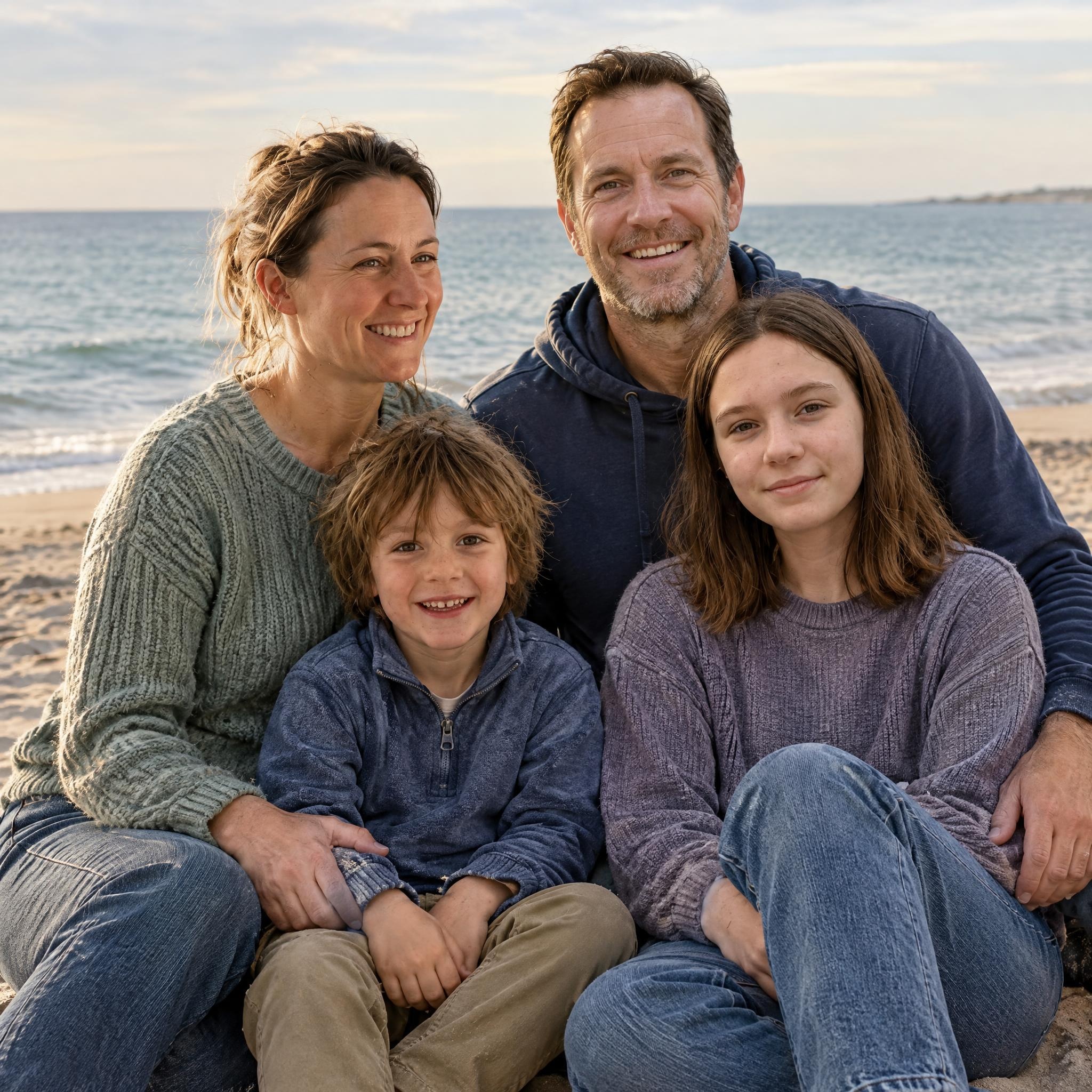
By the sea · Selected demo portrait

Actual demo result from four individual references, generated at 2048 × 2048. Our free previews use 1152 × 1536. Check your own family’s likeness before paying. Download this sample JPG

Your portrait setting.

By the sea

Quiet sand, open sky and individual coastal clothes. This setting is ready in your free preview.

Likeness and details can vary. See your own result before you decide to buy.

Try by the sea free

A coastal portrait that starts at home.

You do not need a beach in your reference photo. This example starts with four individual photos taken in different places; the AI creates the coastal background and clothing.

Check a photo’s crop and print size

Keep the light clear in your references

Choose a photo where each face is sharp and evenly lit. Heavy shadows, sunglasses and distant faces leave less useful detail for the new portrait. A clear indoor picture can work better than a dark beach snapshot.

Separate faces from sky, sand and water

Use clear references without sunglasses or wind covering the eyes. In the new scene, check that pale clothing does not disappear into sand, the horizon does not cut awkwardly across faces, and hands remain separate from neighboring arms. Clothing and hair may change.

Check the crop before you print

A portrait that looks good on your phone may lose part of a face or shoulder in a wider frame. Download the original, check its pixel dimensions, and preview the crop for your intended card or print size.
A portrait for the people you love.

Different settings, the same reason to make a portrait: keeping your people close.

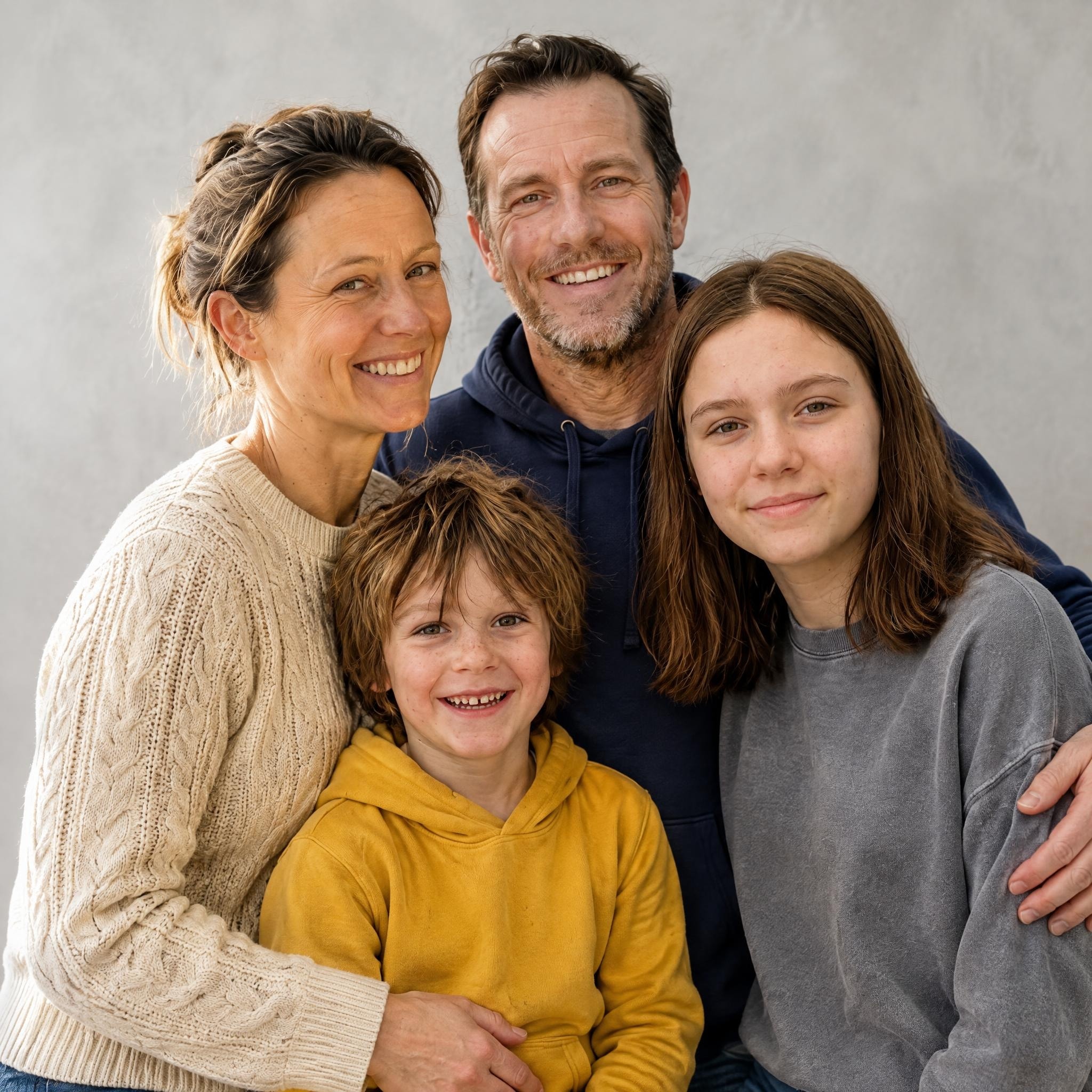
Studio result made from the same four individual references as the beach portrait

The same family, in the studio

AI demo from the same four individual references

Explore family portraits
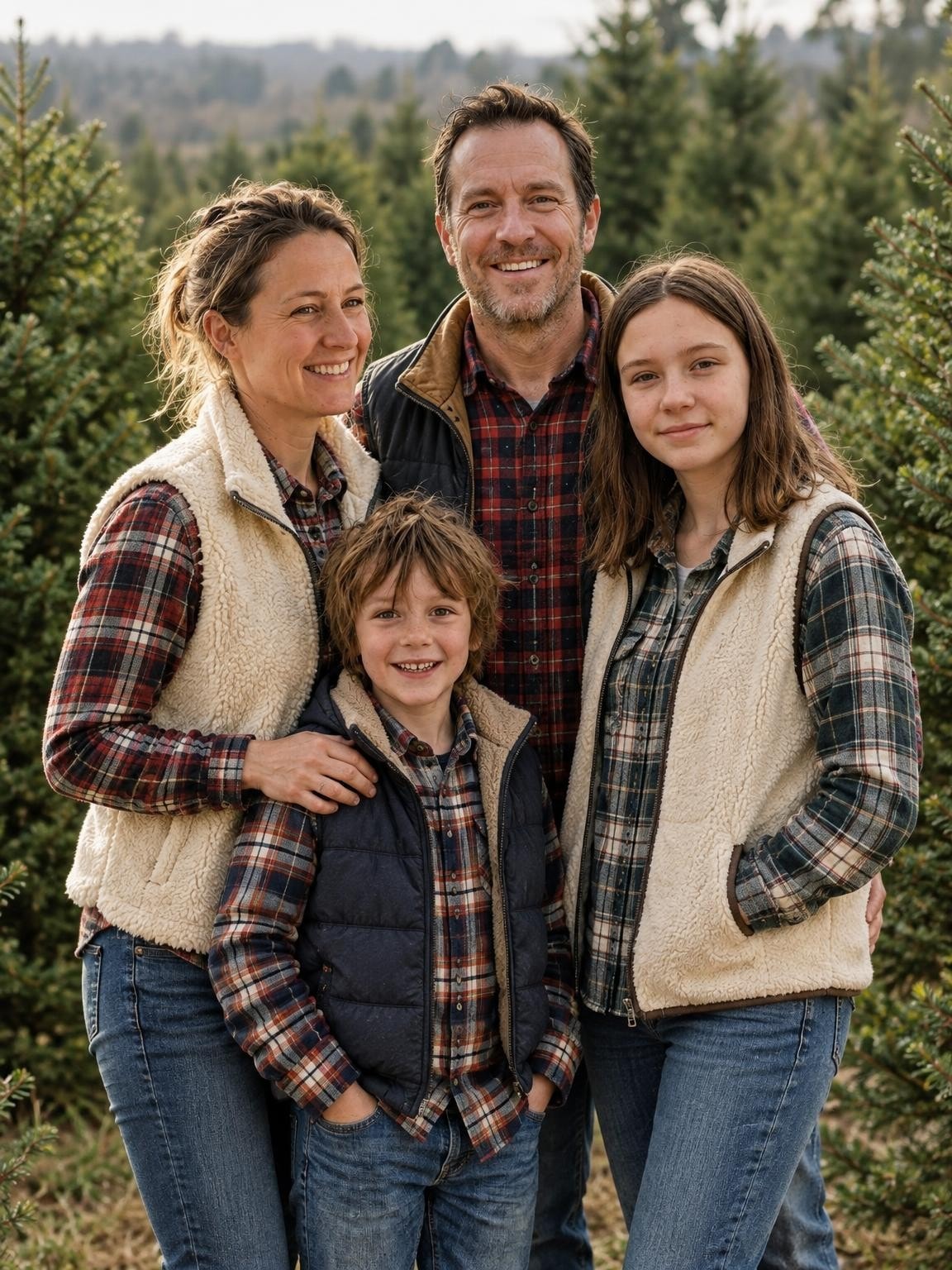
AI family portrait among Christmas trees

A portrait for the holidays

AI portrait example from our holiday tests

Explore Christmas

Good references.
A better starting point.

Use recent photos where each face is easy to see. The AI creates the clothes and setting, so you can start with ordinary pictures.

Choose clear reference photos

Before you upload

  • Include every person in at least one clear photo.
  • Choose well-lit faces without sunglasses, heavy filters or motion blur.
  • Keep faces large enough to see. Avoid distant group shots.
  • Use photos you have permission to upload.

Before you buy

Look closely at every face, age, pair of glasses and hand. Your preview helps you decide whether this approach works for your family; it does not guarantee every gallery image will look the same.

Your photos.
Your preview.
Your choice.

  1. Upload your photos.

    Add 1–6 photos, label each person or pet, and select the photos they appear in. Your chosen scene follows you into the creator.

  2. Check your free preview.

    Inspect each face and detail. You have one free correction using the same references. Approve the version you want to keep.

  3. Keep the portrait you approved.

    Pay once to download your exact approved portrait without our watermark, plus 30, 60 or 120 new variations.

Your gallery, your choice.

Preview first. Choose your gallery when you’ve seen your own result.

30 portraits

$19one payment

A lovely place to start.

See my free preview with 30 portraits

60 portraits

$29one payment

More moments to choose from.

See my free preview with 60 portraits

120 portraits

$49one payment

The widest choice of portraits.

See my free preview with 120 portraits

Keep the exact portrait you approve, plus your chosen number of new variations. Every gallery includes original-size downloads without watermarks, your selected scenes, and support for eligible quality issues under our refund policy.

Start with a free preview and one correction. No account, no subscription.

Help with your gallery

Before you begin.

Refund policy
How we handle your photos
Get help with your gallery

What size print does this beach example support?

The shown selected demo is 2048 × 2048 pixels. Without upscaling, an 8 × 8 inch square uses 256 PPI. Filling an 8 × 10 print trims the sides to about 1638 × 2048 pixels and gives about 205 PPI. Move the crop to protect the outer faces, and follow your printer’s requirements. Your own download may have different dimensions.

Should we use AI or take photos on our beach trip?

Use a camera or photographer to document a real vacation, place or moment. This creator invents a new coastal portrait from your references; it cannot serve as proof of visiting a location. An AI portrait is an optional imagined setting when gathering everyone is difficult.

Can you recreate our exact vacation beach?

This scene creates a new coastal setting. It does not guarantee a specific beach, landmark, background or recreation of an existing photograph. Use the free preview to judge the result.

Can our dog join the portrait?

Include a clear reference of your dog along with the people you want shown, within the six-photo upload limit. Check that everyone and your pet appear correctly in the free preview; group details can vary.

Do we need to be in the same photo?

No. Upload 1–6 clear reference photos in total, with everyone you want to include visible in at least one picture. Separate photos work. The number of photos is not a guarantee about the number of people the AI can reproduce accurately.

What is free, and what do I pay for?

Your first watermarked preview and one correction using the same reference photos are free, with no account or payment card required. Paid galleries start at $19 and include the exact portrait you approve, without our watermark, plus 30 new variations. Larger galleries add more variations at the same quality. You choose after reviewing your preview; there is no subscription.

Can I keep the exact portrait I approve?

Yes. Your gallery purchase includes an original-size download of that approved portrait without our preview watermark. The other gallery images are new variations and may differ in faces, poses and details. If neither your first preview nor your correction looks right, ask us for help before buying.

Will it look exactly like us?

Your references guide the faces, but AI creates a new image. Likeness, ages, hands and small details can vary. Check every person in your own preview before paying. The new clothing, pose and setting will differ from the source photos.

Can I use the portraits for a card or print?

Your purchase includes digital portraits. Card design, printing and shipping are separate. Use the original download and check its pixel dimensions and crop against your printer’s requirements before ordering.

What if my gallery has a problem?

Contact us with your gallery link, affected photo numbers and the specific quality issue for review under our refund policy. You can also request deletion of your photos; see our privacy policy for how uploads are used and stored.

Free preview.
Galleries from $19.

See my free preview

By the sea · AI portrait example

AI beach portrait of the parents and children shown in the four individual references